

Day to day: the tray and the Home screen
What normal looks like, what each tray colour means, and how to check status from the web app.
Once it is set up the Connector asks nothing of you. This page is what normal looks like, so you can tell at a glance when it is not.
Leave it running
Fetches are started from the OptiVida web app, so the Connector needs to be running when you press the button. It sits in the notification area, uses almost nothing, and is designed to be forgotten about.
By default it starts with Windows and closing its window hides it rather than quitting. Both are settings you can change.
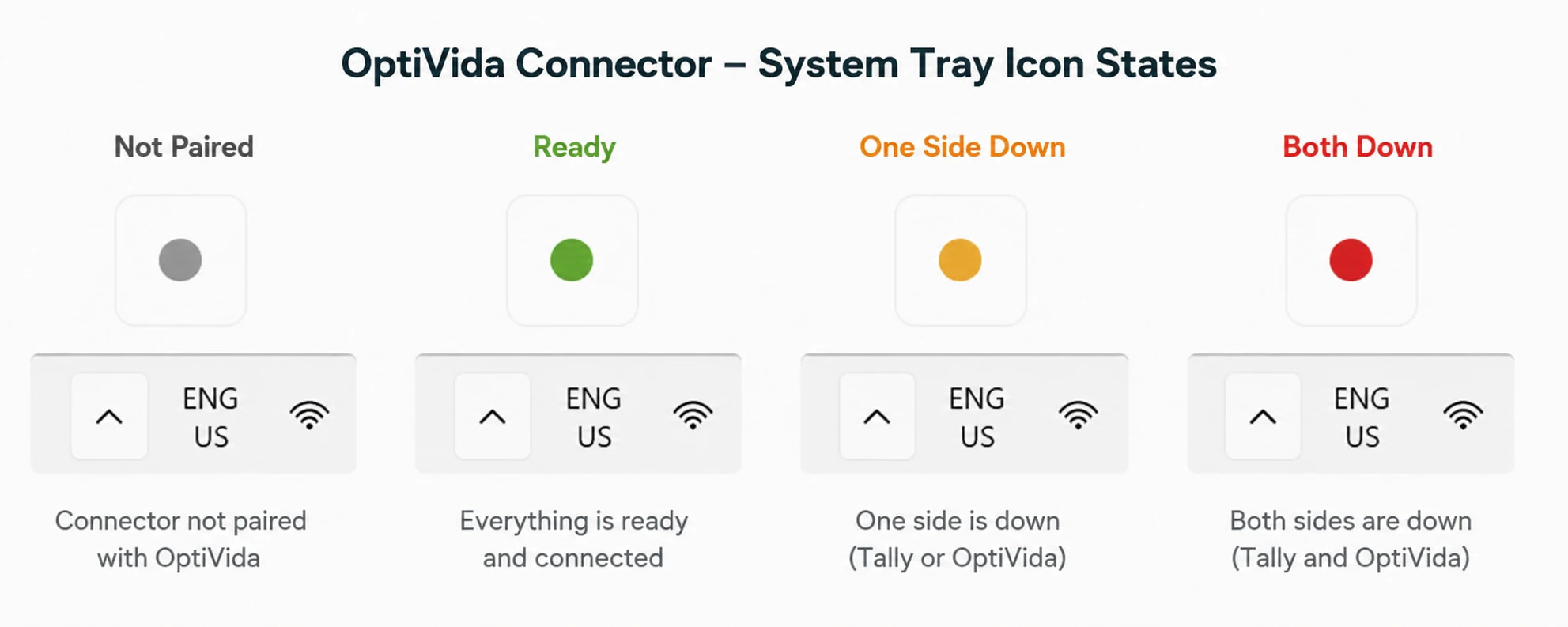
The tray icon is the status
- GreyNot paired
Installed, but not yet linked to an OptiVida account.
- GreenReady
Tally and OptiVida are both reachable. Nothing to do.
- AmberOne side is down
Usually Tally — closed, or open with no company loaded.
- RedBoth are down
Neither Tally nor OptiVida is answering. Check your internet connection.
You can read the state without opening the window.
The Home screen
Clicking the icon opens three cards:
- Account
Which OptiVida account this device is paired to.
- Tally
The company currently loaded and its financial year, as the background check last saw it.
- Cloud
When OptiVida last heard from this Connector.
Below them, Recent fetches lists the last twenty pulls this Connector served — the company, how many ledgers came across, and how long it took. It is the quickest way to confirm a fetch actually reached Tally.
Note
An empty list is normal on a new installation. Entries appear only once you have pulled Tally data from the web app.
The three states you will actually see
- "Ready to fetch"Green
Tally and OptiVida are both reachable. Nothing else to do here.
- "Waiting for Tally"Amber
Paired and online, but Tally Prime is not answering. Open it and load a company.
- "This device is not paired"Grey
The web app cannot reach Tally on this machine until you pair it.
Checking from the web app
You do not have to open the Connector to know where you stand. SettingsTally connector reports the same thing from the browser's point of view, with a Re-check button.
That page is the better one to trust when the two disagree — it is testing the path a fetch will actually take.
Last updated 25 Sept 2026
Still stuck? Ask us